


Documents & print
Invoices, résumés, slides and paper to print, made in your browser.
9 tools · free · no upload

- Résumé gets no repliesRésumé keyword checker
- Need my signature as an imageSignature maker
- Need an invoice in five minutesInvoice generator
- Need a certificate for a groupCertificate maker
- Need paper to printPrintable lined & graph paper
- Need a résumé, no paywallRésumé builder
- Reading list out of controlReading list organizer
- Need slides, no PowerPointPresentation maker
- I need a sheet of labelsLabel sheet maker
How the document tools work
Invoices, résumés, slides and printable paper are laid out in the page and saved from your browser as PDF, PNG or PowerPoint. What you type stays on your device: nothing is uploaded and no account is needed.
Which tool for which job
- A client has to be billed: an invoice as PDF, with tax, discount and logo.
- You need a résumé: build it, then compare it with a job ad to see which of the ad’s key terms are missing.
- A form needs your signature as an image: draw it and save a transparent PNG.
- Slides without a slide program: make a presentation, or open and edit a PPTX or PDF.
- Something to write or draw on: lined, graph, dot, isometric, music staff, handwriting or Cornell paper.
- A pile of books to keep track of: the reading list organizer.
- Address or product labels on Avery sheets: the label sheet maker prints at the exact size or saves a PDF.
Questions
Is the invoice legally valid?
It shows what most invoices need: your details, a number, dates, items, tax and the total. Rules differ by country, for example VAT or GST registration numbers and required wording, so check what yours asks for.
Is an image of my signature legally binding?
It depends on the form. An image of a signature is not a certified electronic signature, and some forms need a dedicated e-signature service. Check what the form asks for.
Will my résumé pass an applicant tracking system?
No tool can promise that. The builder uses one column and plain headings, which are the easiest for people and for tracking software to read, and the keyword checker shows which terms your text is missing. Add a term only where it is true of your experience.
Will a PowerPoint export look the same?
Text, pictures, shapes and notes are real PowerPoint objects. Icons, SVG files and motion blocks become pictures, and PowerPoint shows a custom font only when that font is installed on the computer.
Books for this kind of work
All books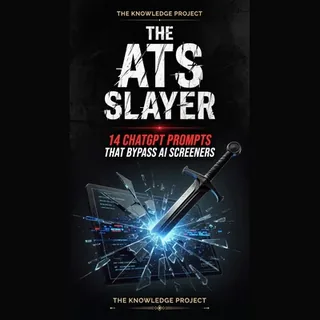 The ATS Slayer: 14 ChatGPT Prompts That Bypass AI Screeners
A fast playbook for getting a résumé past applicant tracking systems: 14 prompts that tailor it to the job description.
$4.99Get it on Gumroad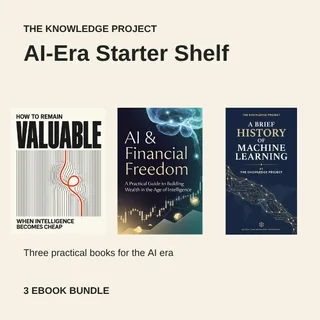 AI-Era Starter Shelf
Three practical ebooks on AI, work and how machine learning came to be, bundled for less than buying them one by one.
$9.99Get it on Gumroad