


Premium tools (free)
The biggest tools here, of the kind usually kept behind a subscription. Free, with no account, and they run on your device.
20 tools · free · no upload

- Need slides, no PowerPointPresentation maker
- Photo looks flatPhoto to 3D AI5.0(1)
- Background needs to goRemove background AI
- Something unwanted in the photoRemove object from photo AI
- Photo is too small or blurryUpscale image AI
- Need to fill in a PDF formFill & edit PDF
- Phone photo of a page looks badScan document
- Text in a picture won’t copyImage to text AI
- Need to record my screenScreen recorder
- Need a passport photo at homePassport photo maker
- Want a photo to look paintedPhoto to painting AI
- Need a résumé, no paywallRésumé builder
- Plan a room layoutRoom planner
- My sound has no pictureAudio visualizer
- Hiss and hum in my voice memoClean voice recording
- Need an invoice in five minutesInvoice generator
- Spot what changed between filesCompare spreadsheets
- Want this read out loudRead text aloud
- Make a rainy city sceneRainy city scene maker
- No piano to playVirtual piano
What people say
literally so coooll. gotta try a ton of photos noww
What makes these the premium tools
These are the largest tools on fixmint: whole editors, makers and on-device AI, the kind that other sites usually keep behind a subscription, a sign-up or a watermark. Here they cost nothing and need no account. Like every tool on fixmint, they work inside this browser tab, so your photos, PDFs, recordings and spreadsheets are never uploaded. The AI tools download an open-source model once, then run it on your device.
Which tool for which job
- A talk or a lesson needs slides: the presentation maker turns an outline into a deck, opens PPTX and PDF files and exports PowerPoint, PDF or a web slideshow.
- A photo should look less flat: turn it into 3D, save a video loop or a GLB or STL model, or repaint it in a painting style.
- A photo needs a clean cut: remove the background, remove an unwanted object, or upscale a small photo at 2× or 4×.
- Paper and PDFs: fill in and edit a PDF, scan pages with your phone into a flat PDF, or copy the text out of a picture.
- Recording and sound: record your screen, clean up a voice recording, give your audio a visualizer video or have text read aloud.
- Work documents: build a résumé, make an invoice, or see what changed between two spreadsheets.
- At home: make a passport photo with a print sheet, plan a room to scale, compose a rainy city scene or play a piano.
Questions
Are the premium tools really free?
Yes. There is no paid tier, no trial, no account and no watermark. fixmint is funded by the maker’s books, which are shown as cards on the pages.
Why are these called premium?
They are the biggest tools on the site: whole editors and on-device AI that other services usually charge for. They still run in your browser like every other fixmint tool.
Do the AI tools upload my photos?
No. Background removal, object removal, upscaling, painting styles and photo to 3D download an open-source model once and run it on your device. The photo stays in this tab.
Why is the first run of an AI tool slow?
The model is downloaded the first time, then kept by the browser, so later runs start quickly. Speed also depends on your device, so large photos take longer on an older phone.
Books for this kind of work
All books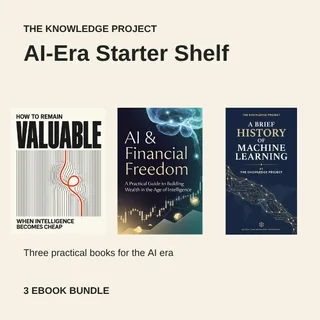 AI-Era Starter Shelf
Three practical ebooks on AI, work and how machine learning came to be, bundled for less than buying them one by one.
$9.99Get it on Gumroad Digital Workflow Toolkit
Recipes, templates and patterns for chaining small file jobs (convert, rename, compress, merge) into workflows that run the same way every time.
$19.00Get it on Gumroad